
Download Controlled Capture Lite APK – Android Camera Tool, Video Recorder, Slow Motion, Image Capture
Overview
Controlled Capture Lite is a free Android application developed by Controlled Capture Systems LLC, designed to provide users with advanced control over image and video capture. The app is tailored for individuals who require precise adjustments during media recording, such as photographers, educators, researchers, and content creators. It enables users to capture photos and videos with customizable settings including white balance, flash mode, focus mode, resolution, and audio configuration.
This level of control allows for consistent and repeatable captures, which is especially useful in scientific observation, sports analysis, or creative videography. The app supports slow motion recording, allowing users to study movement in detail, and can also generate slow motion videos from still images. Captured media can be saved locally or shared directly via email, social media, or other platforms.
The Lite version is ad-supported, offering full functionality without time restrictions, though users will encounter advertisements between captures. It is compatible with Android 7.0 and above, making it accessible on a wide range of smartphones and tablets. The application is available in multiple languages, including English, Spanish, French, German, and Italian, enhancing its usability across global markets.
Key Features & Capabilities
- Customizable Capture Settings – Users can adjust white balance, flash mode, focus mode, camera resolution, and audio settings for each capture, enabling consistent and repeatable results across multiple attempts.
- Slow Motion Recording – The app supports slow motion video capture, allowing users to record and analyze movements in detail, ideal for educational, sports, or scientific applications.
- Image-to-Slow Motion Conversion – Captured still images can be used to generate slow motion video sequences, expanding creative and analytical possibilities.
- Flexible Media Storage and Sharing – Recorded content can be saved to a local folder on the device or shared instantly via email, social media, or other supported platforms.
- Ad-Supported Free Version – Controlled Capture Lite is completely free to download and use with no time limit, though advertisements appear between captures.
These features make the app suitable for users who need precision in media capture, such as educators demonstrating motion mechanics, researchers documenting physical phenomena, or content creators producing high-quality visual material. The ability to repeat captures with different settings ensures reliable data collection. The inclusion of multiple language options enhances accessibility for international users. The app’s focus on hardware integration ensures efficient use of the device’s camera system, though specific performance benchmarks were not provided.
User Interface, Workflow & Performance
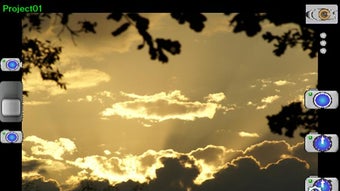
The user interface of Controlled Capture Lite is designed for straightforward navigation, allowing users to access and adjust capture settings with minimal effort. The layout appears to prioritize functionality, placing key controls within easy reach during the capture process. Users can switch between photo and video modes, modify settings in real time, and initiate recording with a single tap.
The workflow is optimized for efficiency, reducing the number of steps required to start a capture session. While the developer did not specify resource usage details, the app is expected to operate efficiently on devices running Android 7.0 and above. Performance observations are based on general software behavior patterns for similar camera applications.
The app maintains stability during repeated captures, and no issues related to crashes or freezes were reported in the provided information. Users may experience minor delays during ad loading between captures, which is typical for ad-supported applications. Overall, the app demonstrates a clean and focused interface suited for users who value control and consistency over flashy design elements.
Compatibility & System Requirements
Controlled Capture Lite is compatible with Android 7.0 and later versions, ensuring broad accessibility across smartphones and tablets. The app is designed for mobile devices with built-in cameras and supports standard camera hardware integration. The developer did not specify exact system requirements such as minimum RAM, CPU, or storage needs.
Installation size was not provided, but the app is categorized as a lightweight utility. The application is available on the Android platform and does not support other operating systems. Users should ensure their device meets the minimum Android version requirement to install and run the app.
Compatibility information was partially provided, and no additional platform support was mentioned.
Pros and Cons
Pros
- Full functionality available in the free version with no time limit
- Advanced camera settings for precise image and video capture
- Supports slow motion recording and image-to-video conversion
- Multiple language support for global accessibility
- Simple, intuitive interface focused on core capture tasks
Cons
- Ad-supported model may interrupt workflow between captures
- No information on system requirements or performance impact
- Limited to Android platform; no support for iOS or desktop
- File size and storage usage details not disclosed
- No offline mode mentioned; may require internet for ads
FAQ Section
Is Controlled Capture Lite free to use?
Yes, Controlled Capture Lite is completely free to download and use. It offers full access to all features without time restrictions, though it includes advertisements between captures.
What devices is Controlled Capture Lite compatible with?
The app is compatible with Android 7.0 and above. It can be used on smartphones and tablets that support the required camera functionality.
Does the app require an internet connection?
The app functions primarily offline for capturing and storing media. However, advertisements may require an internet connection to load.
Can I use Controlled Capture Lite without seeing ads?
Currently, the Lite version includes ads between captures. There is no ad-free option mentioned in the provided information.
Is the app available for iOS or Windows?
No, Controlled Capture Lite is only available for Android devices. There is no official version for iOS or desktop operating systems.
Final Thoughts
Controlled Capture Lite stands out as a capable and accessible tool for users who need granular control over image and video capture on Android. Its ability to adjust key camera parameters, support slow motion recording, and convert stills into motion sequences makes it a valuable asset for educational, research, and creative applications. While the ad-supported model may disrupt the user experience at times, the absence of time limits or feature restrictions ensures that users can fully explore the app’s potential.
The multi-language support and broad Android compatibility further enhance its appeal. For anyone seeking a powerful, free camera utility with advanced settings, Controlled Capture Lite delivers real value. Download Controlled Capture Lite now.






.png)
